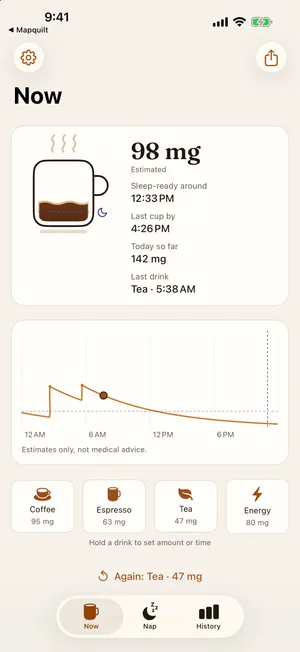
The mug shows what's left
A glance at the mug tells you how much caffeine is still in your system. A dotted line marks your personal sleep-ready level, and steam only rises while you're above it.

Brewnap
Caffeine & nap timer
An interactive demo. Real numbers depend on your settings.
Below your sleep-ready lineBrewnap shows today's caffeine as a mug. Log a coffee and it fills up, then drains as your body clears it.

A glance at the mug tells you how much caffeine is still in your system. A dotted line marks your personal sleep-ready level, and steam only rises while you're above it.
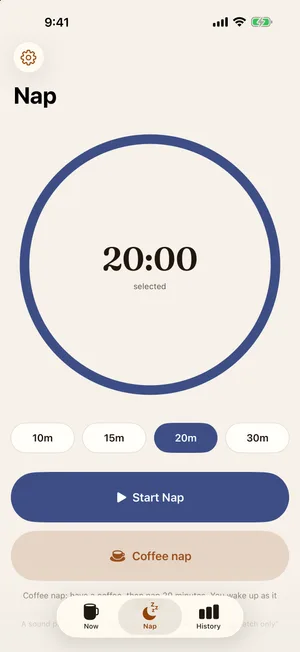
Tap Coffee nap and Brewnap logs your coffee and starts a 20-minute timer in one move, with a Live Activity on your Lock Screen and Dynamic Island.
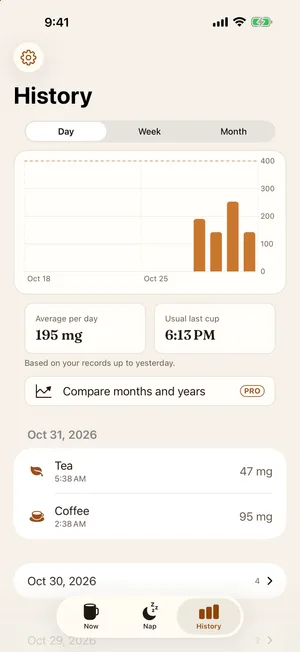
See your daily intake and your usual last cup, day by day, and log the same drink again in one tap. Week and month trends, and month-by-month and year-by-year comparisons, come with Brewnap Pro.
Brewnap estimates when you'll drop below your sleep-ready line, and tells you the latest time you could still have a cup.
Check your level and sleep-ready time without opening the app. Tap Coffee on the widget to open Brewnap with a coffee already logged.
Optionally save the caffeine you log to Apple Health. Brewnap only writes to Health and never reads your Health data.
Export your records and settings as one file and import it on a new iPhone, for free. You choose where the file goes, such as Files or iCloud Drive.
Free / Pro
Logging and the core features are free. Pro adds trends, unlimited drinks and more.
Estimates only, not medical advice. Caffeine sensitivity varies from person to person.
 Brewnap


